Remember the last time you had to print a document just to sign it, then scan it back in, and email it off hoping the file wasn’t too blurry to read? If that sounds painfully familiar, you’re definitely not alone. Most of us have been there, standing at a printer that’s out of ink, or trying to sign a PDF with a mouse and ending up with something that looks like a toddler’s scribble.
The good news is that this whole process is basically obsolete now. A free online signature generator lets you create a clean, professional-looking signature in less time than it takes to find a pen that actually works. No printer, no scanner, no awkward photo of your handwritten signature taken on a kitchen table. Just a few clicks and you’re done.
What Exactly Is a Digital Signature Generator?
A signature generator is a web-based tool that helps you create a digital version of your signature that you can drop into documents, emails, contracts, or forms. It’s not the same thing as a scanned image of your handwriting, though that’s one option most tools offer. You’re typically given a few different ways to build your signature, and the final product is something you can save, reuse, and insert wherever it’s needed.
It’s worth pausing here to clear up some confusion, because “digital signature” and “electronic signature” get used a lot interchangeably, even though they’re technically different things.
- An electronic signature (often called an e-signature) is simply any electronic mark or symbol that indicates you’ve agreed to something. It could be a typed name, a drawn signature, or an uploaded image. This is what most free online generators produce.
- A digital signature, on the other hand, is a more technical, cryptographically secured version of an e-signature. It uses encryption to verify the signer’s identity and confirm the document hasn’t been tampered with after signing. Think of it as the difference between writing your name on a form versus having that name backed by a tamper-proof digital certificate.
Why People Are Ditching Pen and Paper
There’s a reason this shift happened so fast. Once businesses and individuals realized how much friction a physical signature adds to a simple task, there was no going back.
It saves real time. Printing, signing, scanning, and re-uploading a document can eat up ten or fifteen minutes for something that should take thirty seconds. Multiply that across dozens of documents a month and it adds up to hours of wasted effort.
It keeps things consistent. A handwritten signature can look different every single time, especially if you’re rushing or signing on an awkward surface. A digital signature generator gives you the same clean, polished result every time you use it.
It works from anywhere. You don’t need to be near a printer or scanner. Whether you’re on a laptop at a coffee shop or a phone during a commute, you can sign and send documents on the spot.
It looks more professional. A shaky, uneven signature scrawled with a mouse doesn’t inspire much confidence. A well-designed digital signature, especially one created from your actual handwriting style or a clean typed font, looks intentional and put-together.
How These Tools Actually Work
Most free signature generators offer three main approaches, and understanding the differences helps you pick the right one for the situation.
Typing Your Name
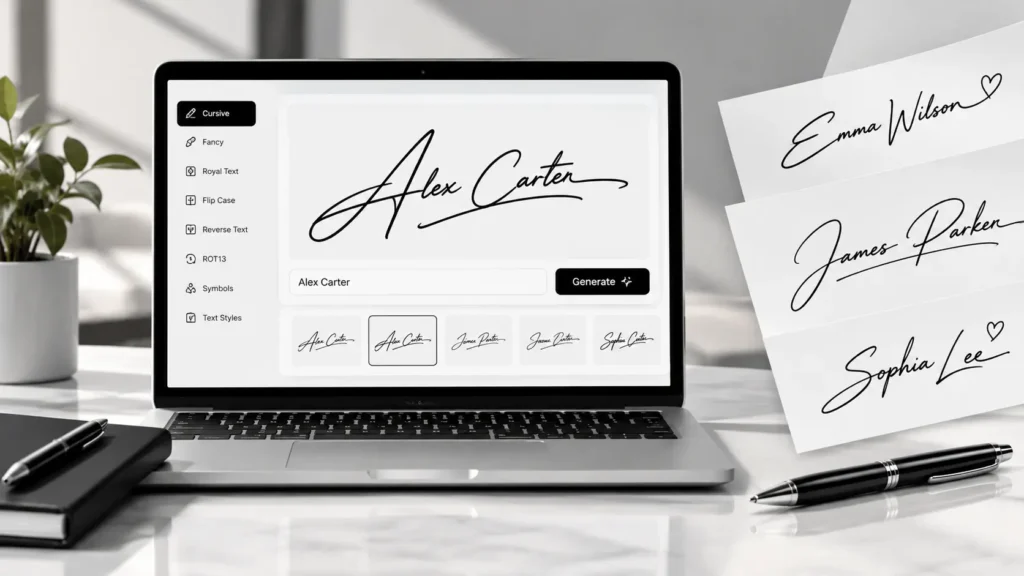
This is the fastest option. You type your name, and the tool renders it in a handwriting-style font that mimics natural penmanship. It’s quick, looks tidy, and works well for everyday documents where formality matters less than speed. Many tools let you scroll through dozens of font styles until you find one that feels like “you.”
Drawing Your Signature
If you want something closer to your actual signature, most generators include a canvas where you can draw it using your mouse, trackpad, or your finger or a stylus on a touchscreen. This tends to produce a more authentic, personal result, especially if you take a second try or two to get the strokes right.
Uploading a Scanned Signature
For people who want their real, physical signature digitized exactly as it is, uploading a photo or scan is the way to go. Sign your name on a plain white sheet of paper, snap a photo, and the tool will usually let you crop, clean up the background, and adjust the color so it looks sharp rather than smudged.
Once you’ve created your signature using any of these methods, the tool typically lets you download it as a transparent PNG file. That transparency matters more than people realize, it means your signature can be layered onto any document background, whether it’s a white PDF or a colored letterhead, without an ugly white box surrounding it.
Step-by-Step: Creating Your Signature
Here’s roughly what the process looks like on most reputable free tools:
- Choose your creation method. Decide whether you want to type, draw, or upload your signature.
- Customize the look. Adjust the font style, size, color, and slant if you’re typing. If you’re drawing, you can usually undo and redo strokes until it feels right.
- Preview it. Most tools show you a live preview so you can see exactly how it’ll look before finalizing.
- Download or save. Export your signature as a PNG or JPEG file, usually with a transparent background.
- Insert it into your document. Drop it into a Word doc, PDF, email signature, or wherever you need it.
The whole thing genuinely takes under a minute once you know what you’re doing, which is exactly the appeal.
Is It Actually Legal to Use One?
This is probably the question people ask most, and understandably so. Nobody wants to sign an important contract only to find out later it doesn’t hold up.
The short answer is yes, electronic signatures are legally recognized in most parts of the world, provided certain conditions are met. In the United States, the ESIGN Act (Electronic Signatures in Global and National Commerce Act) and the UETA (Uniform Electronic Transactions Act) give electronic signatures the same legal weight as handwritten ones for most types of agreements. The European Union has similar protections under eIDAS, which even categorizes electronic signatures into tiers based on their security level.
That said, legality generally depends on a few factors:
- Consent. Both parties need to agree to sign electronically.
- Intent. The signature has to clearly show the signer’s intent to agree to the document’s terms.
- Association. The signature needs to be clearly linked to the signed document, not floating around disconnected from it.
- Record-keeping. Ideally, there’s a record of when and how the signature was applied.
Certain documents still typically require a traditional wet-ink signature depending on your jurisdiction. If you’re ever unsure whether a specific document qualifies for an e-signature, it’s worth a quick check with a legal professional rather than assuming.
What to Look For in a Good Signature Generator
Not all tools are created equal, and since you’re trusting this thing with something as personal as your signature, it’s worth being a little picky. Here’s what actually matters:
- No hidden costs. “Free” should mean free, not a trial that locks your signature behind a paywall the moment you try to download it.
- No watermarks. Some free tools slap a faint watermark across your signature unless you upgrade. That defeats the purpose if you’re trying to look professional.
- Transparent background export. This is non-negotiable if you want your signature to blend seamlessly into different documents.
- Privacy protections. Your signature is sensitive information. Look for tools that don’t store your data indefinitely or share it with third parties. Reading the privacy policy, even briefly, isn’t a bad habit here.
- Ease of use. If the interface feels clunky or confusing, that’s a sign to look elsewhere. A good tool should feel intuitive within the first ten seconds of using it.
- Multiple format options. Being able to export as PNG, JPEG, or even SVG gives you flexibility depending on where you’re using the signature.
Practical Ways to Use Your New Signature
Once you’ve got a signature saved, the uses stack up quickly:
- Signing PDF contracts and agreements without printing anything
- Adding a personal touch to email sign-offs
- Approving invoices or purchase orders digitally
- Filling out job offer letters or HR paperwork
- Signing permission slips, waivers, or consent forms
- Finalizing freelance contracts with clients
If you run a small business, having a ready-to-use digital signature also speeds up client onboarding significantly. Instead of sending a document, waiting for it to be printed and scanned back, you can often get things signed and returned the same day.
A Few Tips From Experience
If you’ve never made a digital signature before, a couple of small things make a noticeable difference in the final result.
When drawing your signature, use a stylus or your finger on a touchscreen rather than a mouse if you can. Mouse-drawn signatures tend to look jagged and unnatural, while touchscreen input feels closer to actually writing.
If you’re uploading a scanned signature, sign in dark ink on plain white paper and take the photo in good lighting. Shadows and uneven lighting make it harder for the tool to clean up the background properly, and you’ll end up with a grayish smudge instead of a crisp signature.
Also, don’t be afraid to make a few versions. Try a couple of font styles if you’re typing, or attempt the drawn signature two or three times. It costs nothing, and you’ll likely land on one that actually feels representative of you rather than settling for the first attempt.
Final Thoughts
A free online signature generatorf is one of those small tools that quietly saves a surprising amount of hassle once you start using it. There’s no learning curve to speak of, no cost involved, and the payoff is immediate. Whether you’re a freelancer sending contracts, a student signing permission forms, or a business owner processing paperwork daily, having a clean, ready-to-go digital signature just makes life a little easier.
Give it a try the next time a document lands in your inbox needing a signature. Chances are, you’ll wonder why you didn’t switch over sooner.
Ready to create yours? Find a reputable free signature generator, spend two minutes crafting something that feels authentically you, and never wrestle with a printer at 11 PM again. Your future self will thank you.